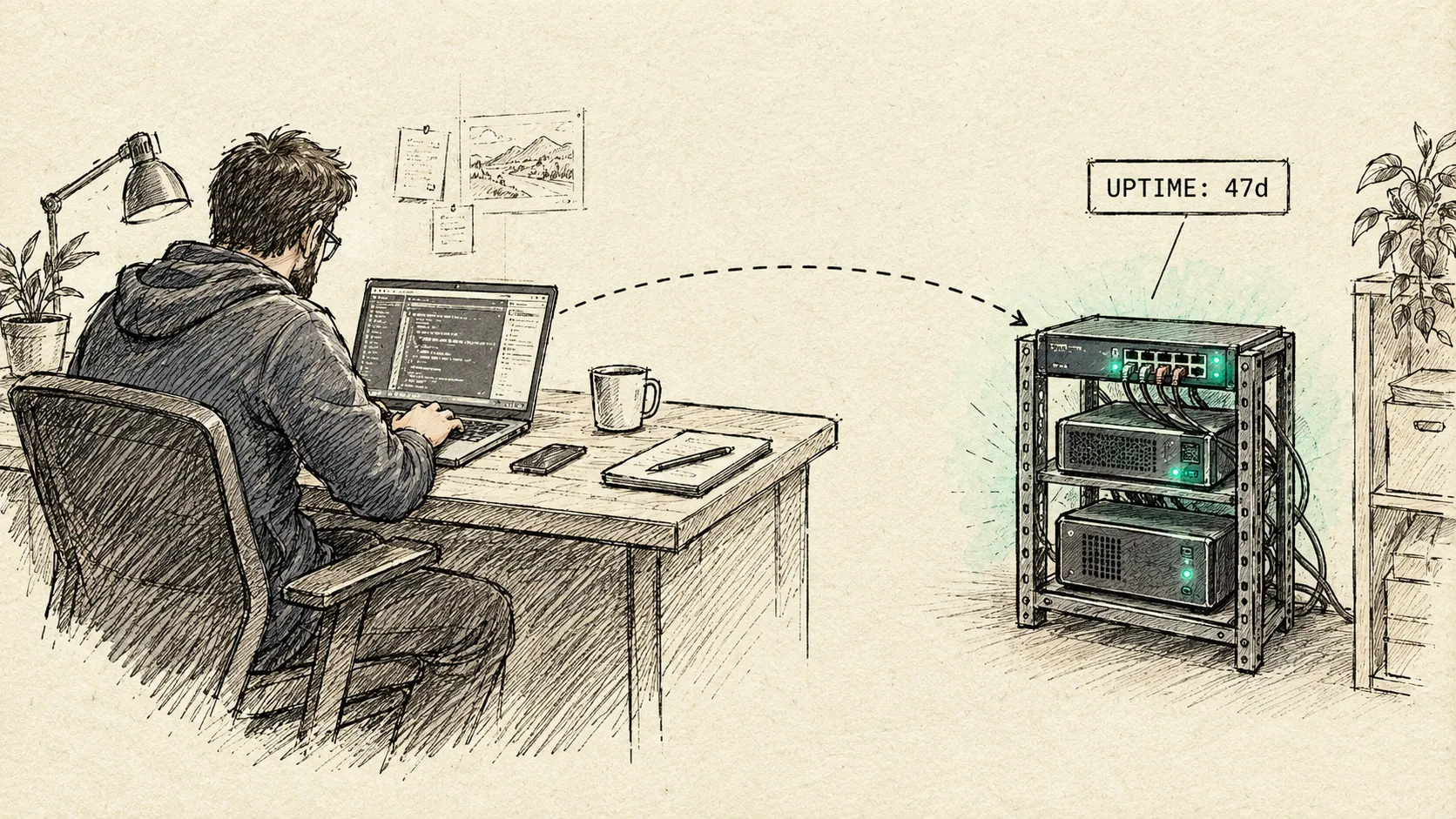
Your mission, should you choose to accept it: the agents working your codebase don’t stop when you close the laptop lid. They can’t. Hand the operation to a machine that never sleeps, never closes, and never goes dark mid-run. This message will not self-destruct. Neither will the pipeline running at 3am without you.
The job changed underneath the laptop
For years the case for getting off the laptop was personal inconvenience: the battery hits 3% mid-refactor, it’s asleep in the other room when the fix finally clicks, one spilled coffee away from a very bad afternoon. Real problems, but survivable ones. Commit often, back it up, hope for the best.
That’s not the argument anymore. The work itself changed shape. Agents don’t just autocomplete while you drive the keyboard, they take a ticket, write the code, open the PR, on their own, on a schedule, while you’re at dinner. An agent doesn’t care that the laptop it’s running on went to sleep at 11pm, except that it does, because when the laptop sleeps, the agent stops existing mid-task. The failure mode isn’t “I lost my session.” It’s “the run that was supposed to happen overnight didn’t, and nobody noticed until morning.”
A laptop is engineered for portability. It was never engineered to be the runtime for a process that’s supposed to keep working when nobody’s watching it. And somewhere along the way, the actual work, dotfiles, secrets, half-finished branches, local state, agent runs in progress, ended up living on the one machine most likely to be asleep, out of battery, or out of commission exactly when something needed to run.
Extraction: taking the dev environment off the laptop entirely
The mission objective isn’t “use a homelab too.” It’s decommissioning the laptop as the place the development environment lives, full stop. The laptop still shows up, it’s a client now, a keyboard and a screen dialing into a session. The work itself moves to an always-on mini PC on the homelab: low power draw, no sleep state, no lid to close.
There’s a second wrinkle that makes this non-negotiable: there isn’t one laptop, there are three, in rotation, plus whatever new Linux distro is getting kicked around this week. Tying the dev environment to any single machine means reconstructing it every time the hardware or the OS underneath changes. Tying it to an always-on box means it doesn’t matter which laptop is open or which distro is currently being test-driven: connect, and the environment is exactly as it was left.
The environment itself is Docker-packaged, built in three layers so nothing important is ever trapped on one physical box:
- Image (public): an Ubuntu LTS devcontainer base plus the toolchain. Nothing personal in it. This layer could be open-sourced as-is.
- State (private, bind-mounted):
~/code, caches,.claude, theagekey. This is the only layer that actually matters, and it lives on a mount, not baked into an image. - Dotfiles (templated):
.bashrc,.gitconfig, applied at container start rather than frozen into a snapshot.
Nothing here is a golden image you’re afraid to touch. The container is disposable, but deliberately kept running. The state mount is the only thing worth protecting, and it’s one rsync away from moving to whatever box replaces this one. It isn’t invulnerable either: it’s not yet on the same nightly cross-site rsync, already proven on this homelab for Immich and Home Assistant, with Telegram alerts on failure, that protects everything else here. Riding that same rail is next, not an afterthought.
The container stays running, but raw tmux inside it isn’t the mechanism anymore. That layer is abstracted behind agent-deck
:
# ssh into the mini PC (over Tailscale), then:
agent-deck
Run it, and every session is exactly where it was left, same running processes, same scrollback, regardless of which device is reconnecting. Still evaluating whether it stays the right tool for this or something more specialized takes over, but the box doesn’t care which: as long as something durable sits between “closed the laptop lid” and “the process kept running,” the mission holds.
Secrets don’t ride along in the image either. They’re encrypted at rest with sops and age, decrypted only into the state mount at runtime. The age key itself is the one deliberately manual step in an otherwise reproducible setup: it was placed on the box by hand, once, during setup, not generated or distributed by any script, and not something the automation touches again. Lose the container, lose no state. Lose the laptop, lose no state.
Insertion: the homelab layer this all runs on
None of this needed to be exotic. The mini PC runs Proxmox, kept deliberately boring: one clean hypervisor, every service its own LXC or VM on top, nothing hand-rolled that doesn’t have to be. A few years ago standing that up would have been the whole project, a weekend lost to driver quirks and unfamiliar tooling. Today, community-maintained install scripts turn “add a new service” into picking an item off a list, and an AI coding assistant reads the same logs, YAML, and configs a systems engineer would, then explains what’s wrong in plain language instead of you reverse-engineering it at midnight. The barrier to running real infrastructure at home dropped while everyone was busy looking at chatbots.
Two pieces of that layer already got their own write-ups: Docker in LXC: am I doing it wrong? covers the container architecture actually running on this Proxmox box, and The Home Assistant Supremacy covers keeping two houses’ worth of it in sync. This piece assumes that layer exists and stays boring. It’s about what runs on top of it.
Rendezvous: one command center, several agents
The mistake would be thinking this is just “Claude Code, but remote.” In practice, the mini PC runs several agent CLIs side by side: Claude Code, opencode, and pi, each doing different work at the same time. agent-deck is already doing double duty as the session layer above, and it’s what keeps this manageable too: one TUI, multiple agent sessions, switch between them without losing any of them.
On top of that, Claude Code’s own remote-control turns any device (a phone, a tablet, a different laptop entirely) into a terminal onto a persistent session. No SSH client to configure by hand, no VPN to remember to switch on, no “let me get back to my desk first.”
This isn’t a novelty act. Coding from a phone or a tablet has become technically capable enough that the device stopped being the limiting factor, not because it’s a stunt but because the work doesn’t wait for a desk. What makes it actually usable, long-term, isn’t the phone: it’s having one centralized place every device connects back to. A fix started on a tablet in a waiting room and finished on a laptop that evening is the same session, not two disconnected fragments to reconcile later.
The laptop, at this point, stops being infrastructure. It’s a keyboard with a screen attached. Replace it tomorrow and nothing is lost, because nothing important was ever on it.
Why pipelines forced the issue
Interactive sessions surviving a closed lid is a nice-to-have. This is the part that isn’t optional: alongside interactive work, there are now multiple automated agent pipelines running on this box, unattended, on a schedule. One mines and claims tickets, opens pull requests, while nobody’s watching. Another runs continuously, hunting for bugs across the codebase and fixing what it finds, on its own loop. Neither asks permission to start. Neither waits for a keyboard.
A developer’s workday has a shape: sit down, code, stop. An agent’s doesn’t. It starts, waits, runs, inspects, modifies, tests, commits, and repeats, on a clock that has nothing to do with anyone’s desk hours. That’s not a dev workflow anymore, it’s a server workload that happens to write code, and it needs the thing every other server workload needs: a machine that’s on when it’s supposed to be on, whether or not anyone’s watching.
A laptop that sleeps overnight doesn’t pause a pipeline politely, it just silently fails to run it. Nobody notices until the next morning’s expected PR isn’t there, or a bug that should have been caught and fixed overnight is still sitting there at 9am. That’s not a session-persistence inconvenience, it’s a hard requirement: this class of work cannot run on a machine that isn’t guaranteed to be on. The always-on mini PC isn’t an upgrade here, it’s the minimum bar.
What the mission actually buys you
- No more “I had the idea but my laptop was asleep in the other room.” The session that was open at 11pm is still open at 7am, on whatever device is closest.
- Every pipeline runs whether or not a laptop is open anywhere in the house. Ticket-mining, bug-hunting, whatever comes next: scheduled, unattended agent work no longer depends on remembering to leave a lid up.
- Swapping laptops, or distro-hopping, costs nothing. Three laptops in rotation and an occasional new Linux distro to try stop being a reason to rebuild anything, the environment lives on the mini PC, not on whichever machine happens to be open today.
- The workspace outlives the hardware. It’s portable to whatever box replaces this mini PC, not tied to one physical machine you’re carrying around and could lose.
- It’s reusable, not personal. The three-layer split (image, state, dotfiles) isn’t a one-off hack, it’s a pattern anyone running a homelab could pick up.
Status: operation in progress
Full disclosure from the field: this isn’t a finished appliance, it’s an active rollout. The three-layer design is settled, but a few calls are still open: which Ubuntu LTS to pin, whether to forward an SSH agent or bind-mount ~/.ssh directly, and whether the next host for this is a lightly-nested LXC or a plain VM. None of that changes the mission. It changes the tactics.
Mission accomplished: the laptop is decommissioned as the place the work lives, kept on only as a client, and the pipelines that needed an always-on box finally have one. Objective in progress: the workspace itself becomes portable enough to hand to anyone who wants to run the same play on their own homelab.